A big part of successful social media marketing is how visually appealing your posts are. Whether you are creating a post for a brand showcasing their products or creating a post for your personal social media page a little bit of editing can go a long way. There are many different tips and tricks that can take your photos to the next level adding a professional look. There are many ways that photos can be enhanced such as creating balance with grid lines, finding symmetry, creating a new perspective, color correction, filters, exposure rate, brightness, and much more. I compiled a list of some of the best free photo editing apps on the app store that are easy to use and will help you enhance your photos and give them a professional look.
Adobe Lightroom Photo Editor
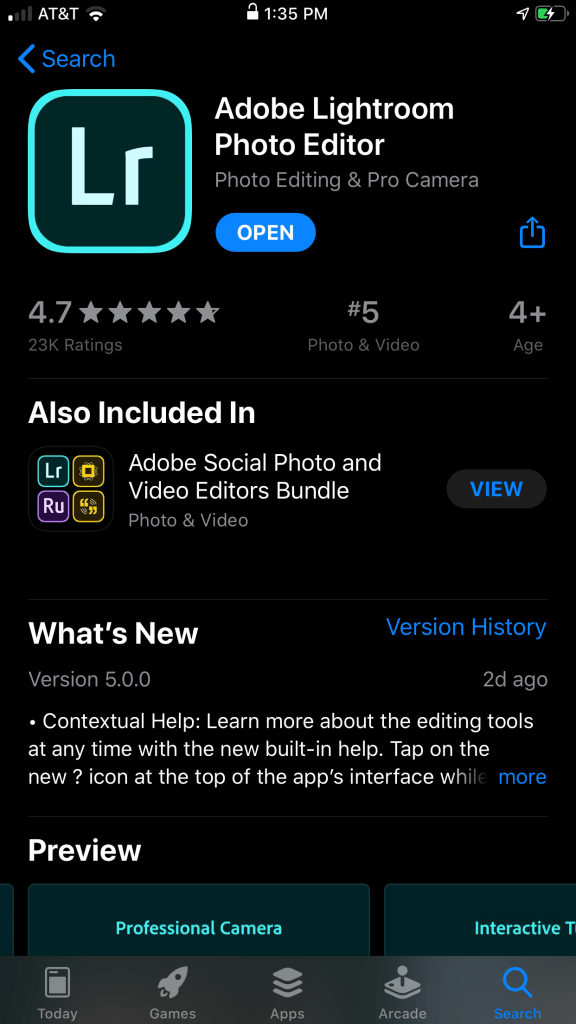
Adobe Lightroom Photo Editor is a free photo editing app that allows you to edit your photos in a variety of ways. There is a premium subscription service that is $10 a month and allows you to access more editing and photo managing options. However, the free version is sufficient on it’s own especially due to the fact that it is ranked 5th on the app store for the best photo & video apps. This app is very user friendly and easy to use as it includes RAW photo support, presets, exposure adjustments, watermarking, and so much more.
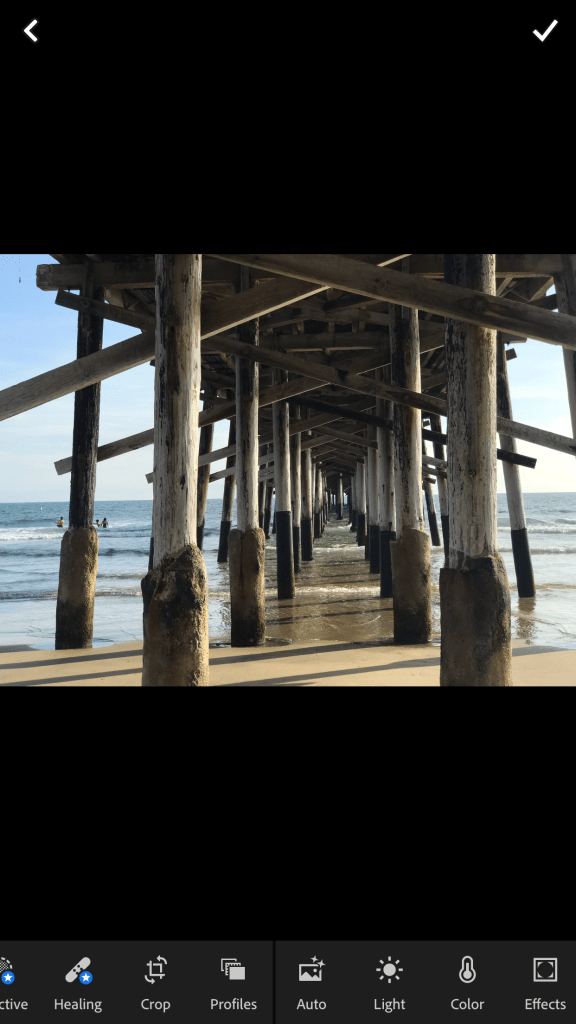
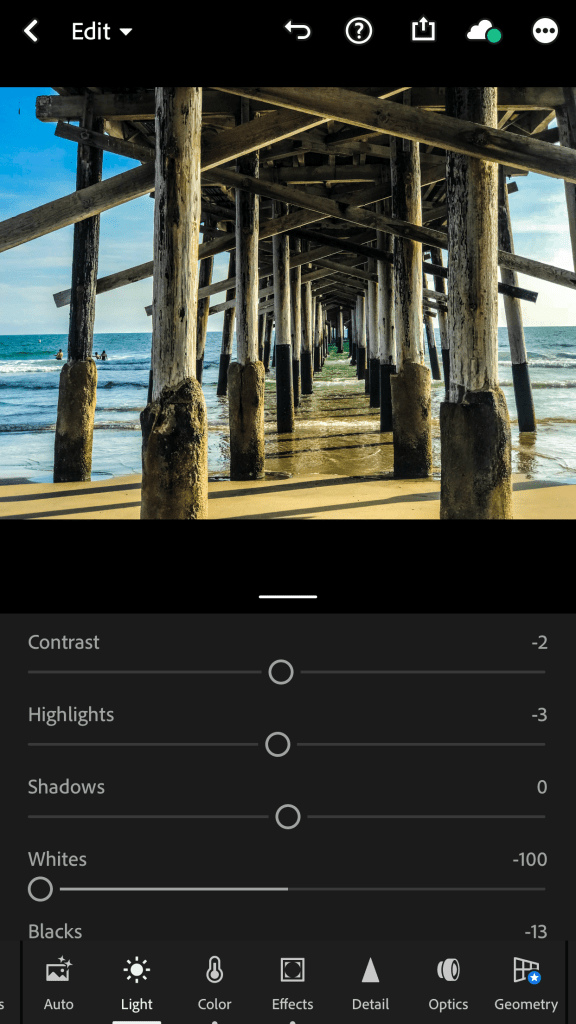
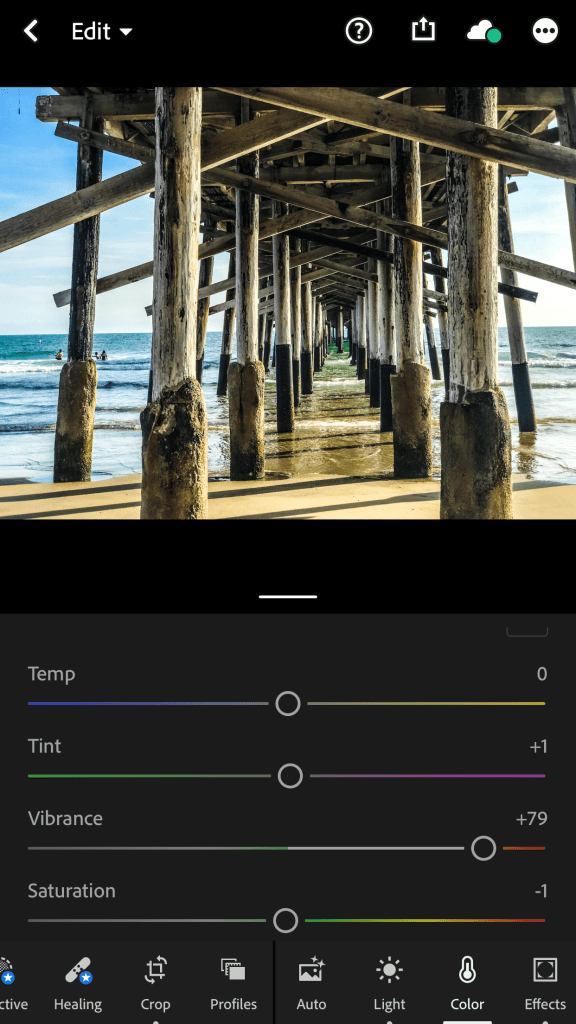
This is a personal photo of mine that I took at the beach underneath the pier. As you can tell from the first photo on the left the color is somewhat dull and need some brightening. Using the Adobe Lightroom app I was able to make edits by adjusting the contrast and highlight levels as well as adjusting the whites and backs in the image. As you can see at the bottom of the photos there are many editing options from auto adjustment, light, color, effects, detail, optics, and much more. For example I decided to adjust the color of the image as you can see in the third photo furthest to the right I was able to edit the tint and add more vibrancy to make make those colors pop like the blues and greens in the water and sky.
Photoshop Express Photo Editor
https://www.adobe.com/products/photoshop-express.html
Photoshop Express Photo Editor is another Adobe photo editing app that is free to download on the app store. Photoshop is very well known on the desktop, however their express version for mobile devices is just as useful and includes a lot of their signature tools and editing capabilities. This app lets you crop photos, adjust exposures, and carry out a variety of tasks. You can even create your own presets, which can be a huge time saver when editing photos on your phone or tablet. Another really cool editing tool that this app has is a healing tool which allows you to remove blemishes and remove blurs.
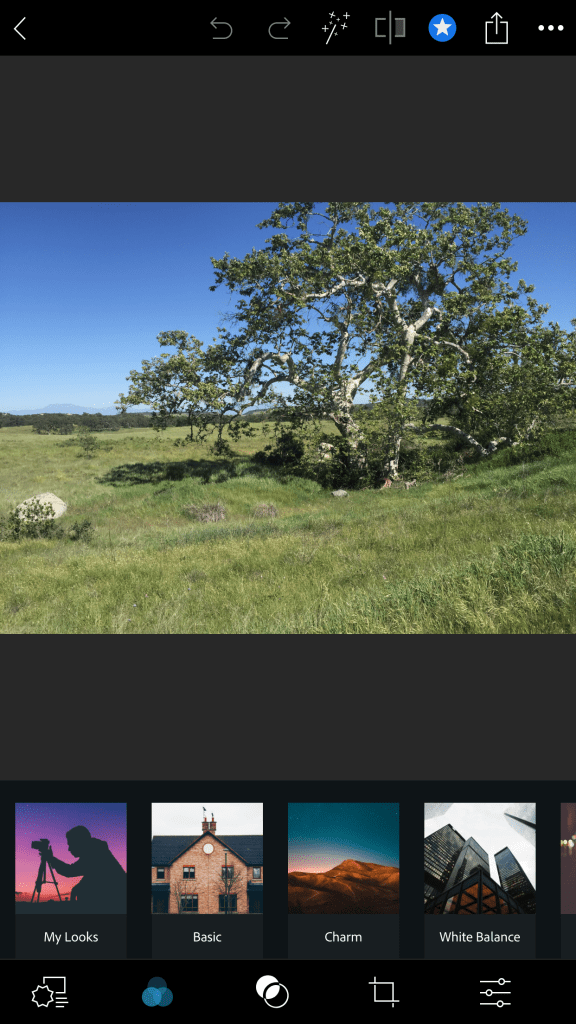
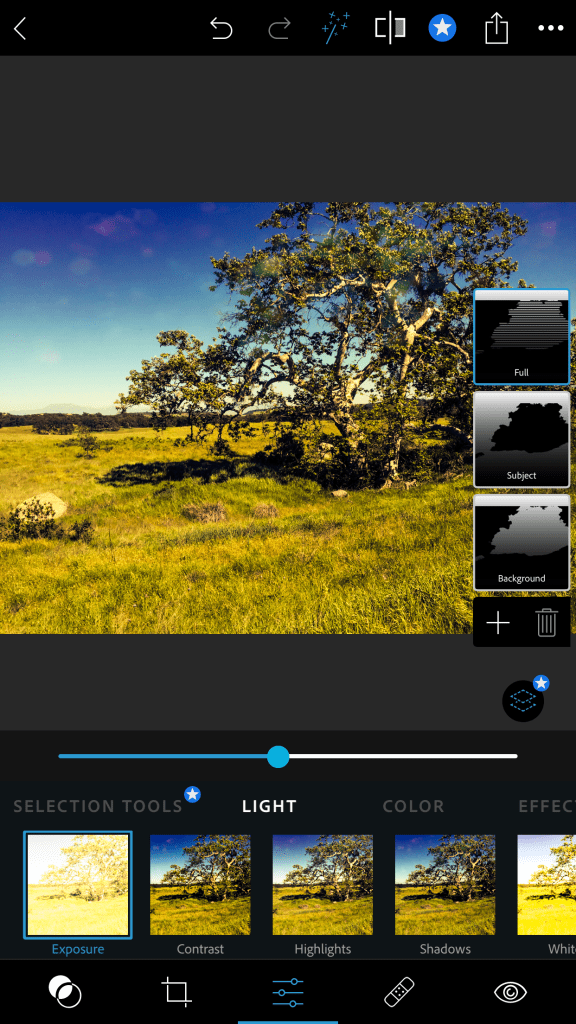
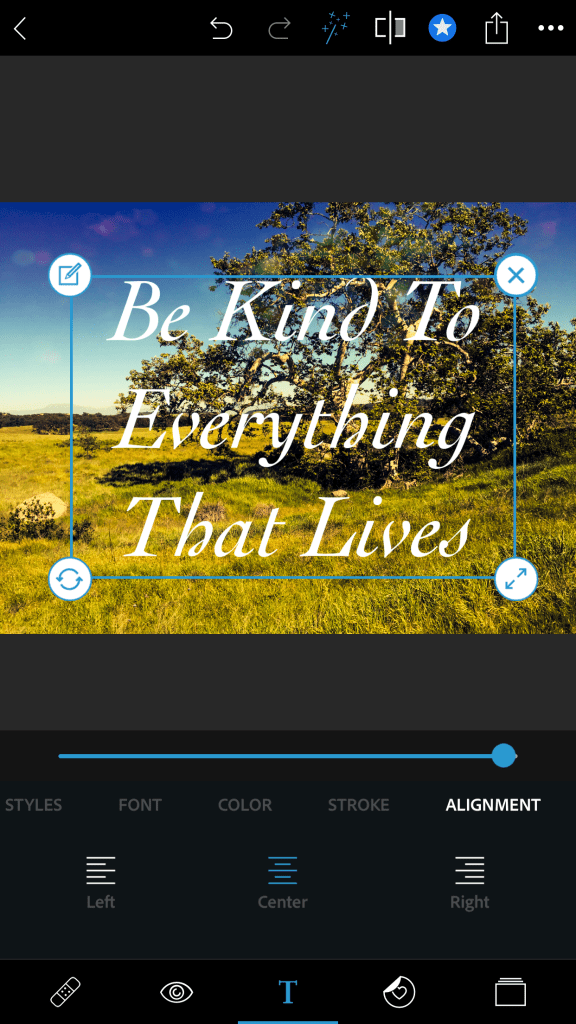
This is a photo that I took during a hike at the Santa Rosa Plateau. As you can see from the first photo on the left there are numerous filter options that are categorized from my looks (which are personalized filters made by you), basic, charm, white balance, etc… All of these filters open up to more filters given the category it’s in. You can also adjust the light and color of the photos, which is what I did for my photo as you can see in the middle image. This app has a cool feature that allows you to select the full image, subject , or the background of the image and edit those individually Another unique editing tool that this app has is the ability to add text and effects to your photos. I used these features to add subtle water marks that can be seen in the sky of the photo as well as a nature quote to give the photo more meaning.
Darkroom – Photo Editor
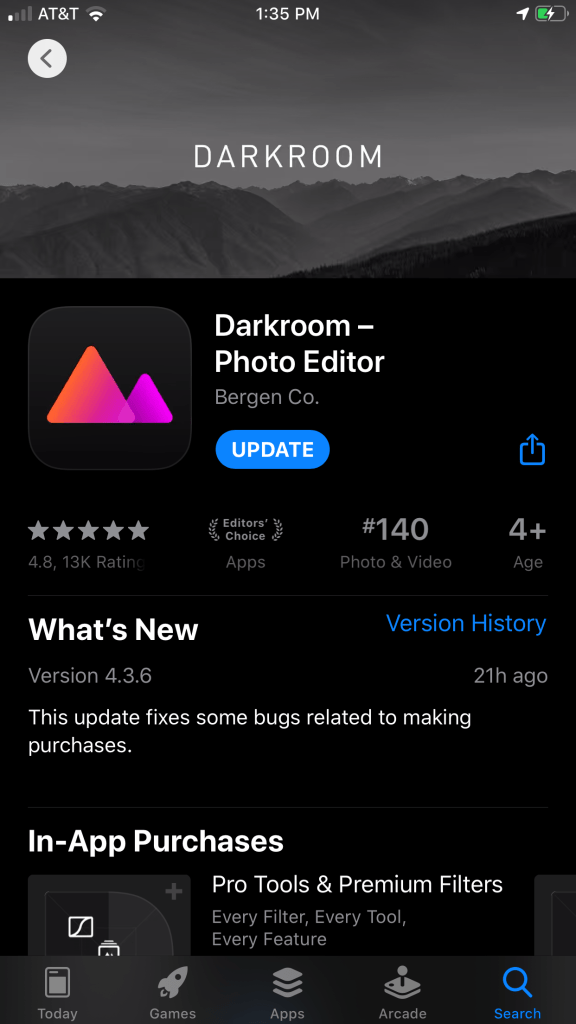
Darkroom – Photo Editor is another really good free photo editing app. As you can see this app is an editors’ choice app and has really good reviews with 4.8 stars. This is a very fast and easy photo editing app that allows you to quickly edit your photos with a variety of tools. Darkroom is unique as it allows you to select a general filter which has preset adjustments and adjust it to your liking by allowing you to adjust the filters curves. Overall the app is very user friendly and very well designed.
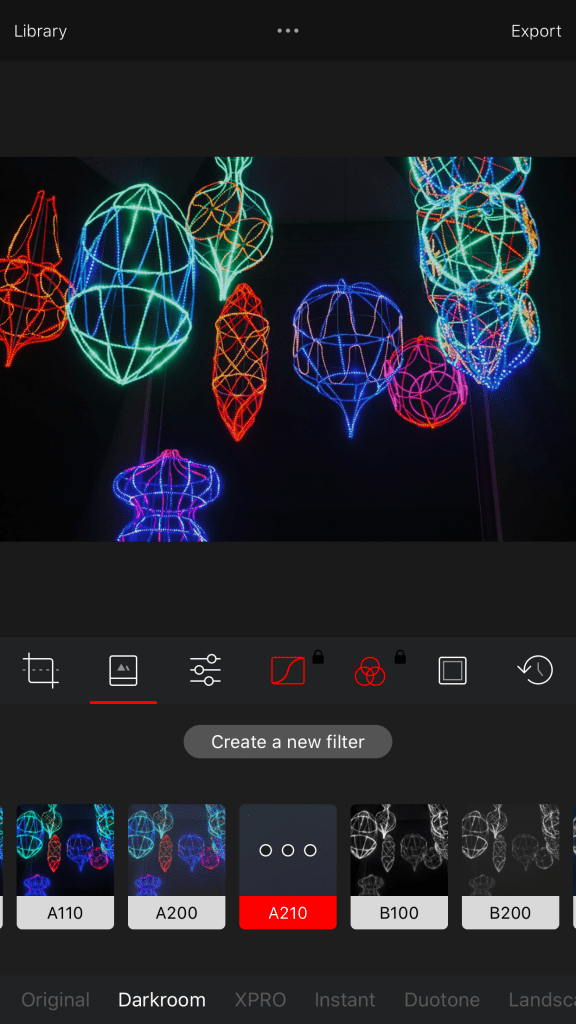
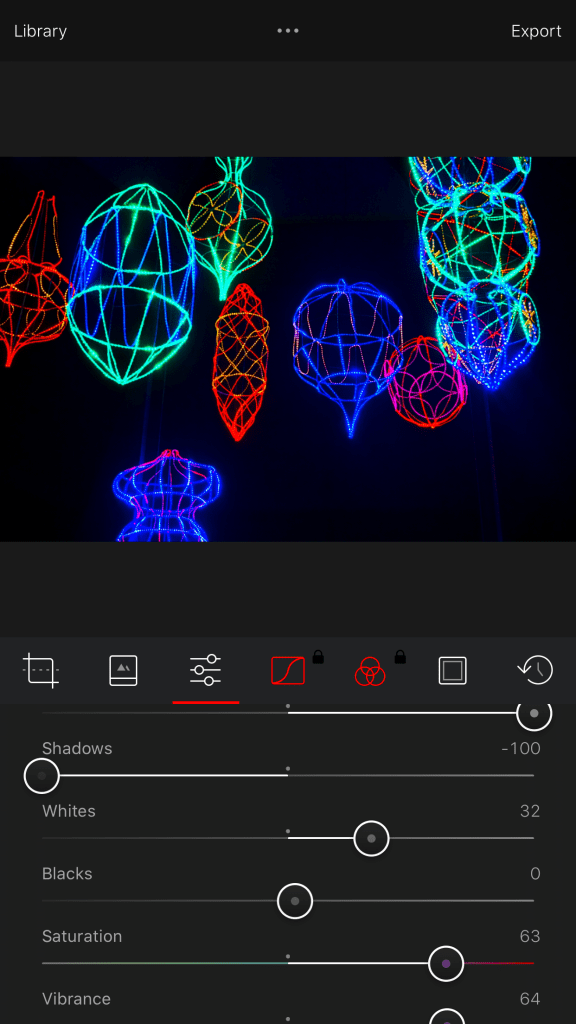
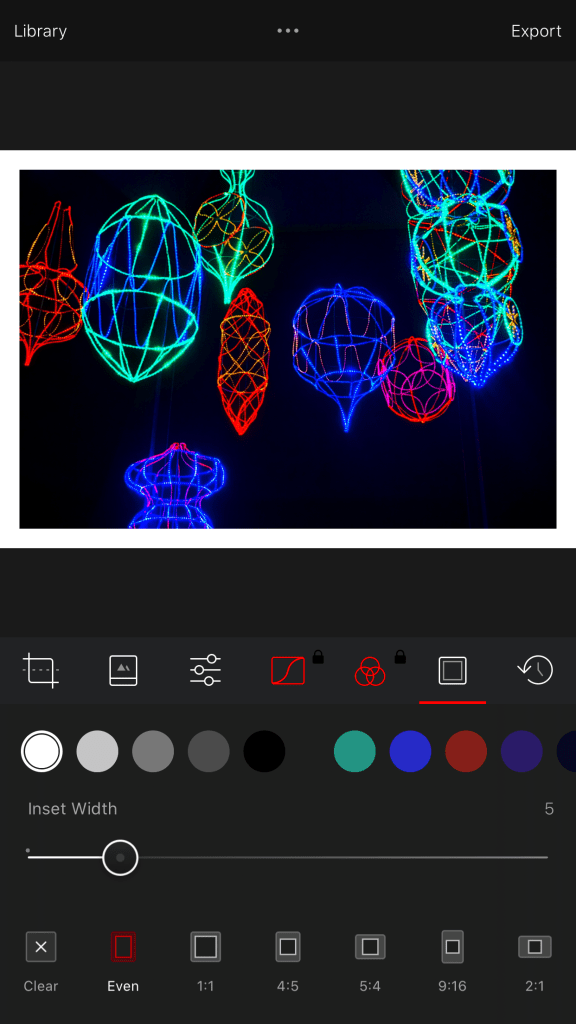
As you can see Darkroom has numerous filters which give you a variety of styles. Each of the filters can be adjusted to your liking or you can make a filter of your own and use it for any of your photos. Once you choose your filter you can then adjust things like shadows, whites, blacks, saturation, vibrancy, and much more. Another unique aspect of this app is the ability to add a border to your photos. As you can see in the third image to the right I added a white border to my photo to give it different and unique look. This is a photo I took at the LA Zoo during their Christmas Lights event. I really wanted to make the colors of the lights pop and add more clarity to the image.
Afterlight – Photo Editor
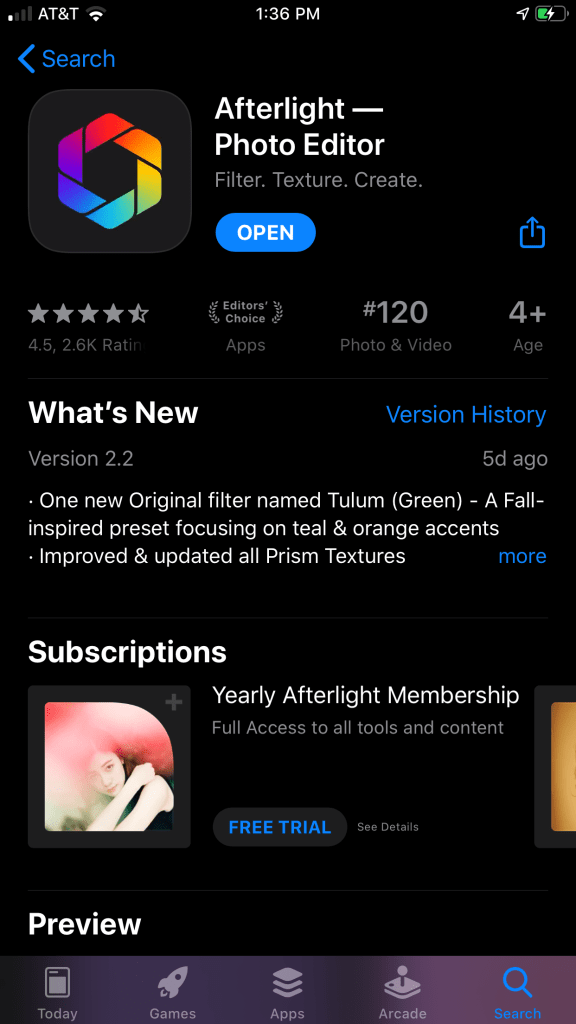
Afterlight – Photo Editor is another user friendly and well designed photo editing app that is an Editors’ choice on the app store and has good reviews. Afterlight has all of the basic photo editing tools you’ll need, as well as built-in filters, frames, local adjustments, and RAW support. You also have the ability to create your own filters as well and apply them easily to your photos by giving them a unique and personalized look. Afterlight also builds in some more unique options, like overlays that mimic film light leaks, double exposure tools, and options to add graphics.
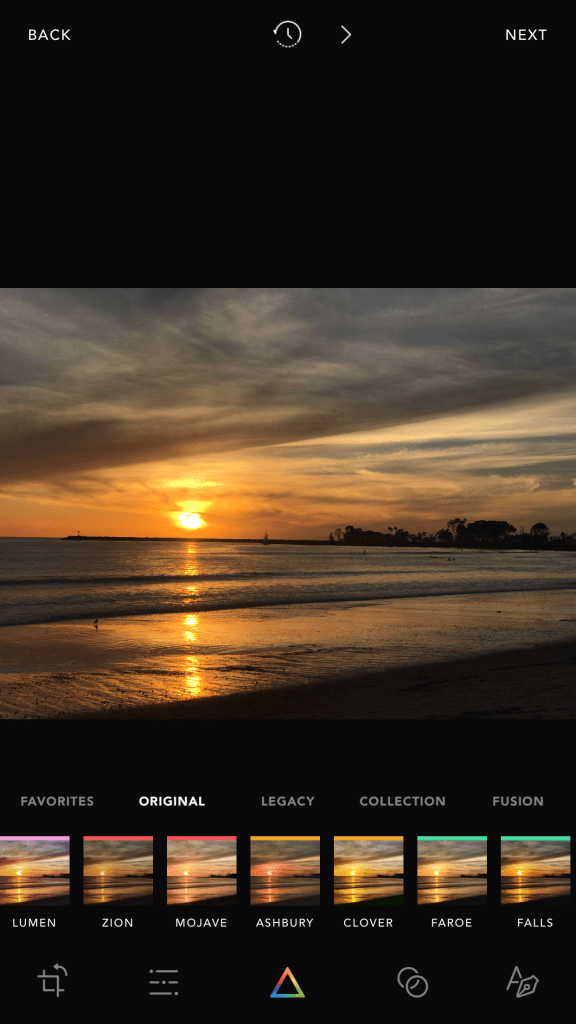
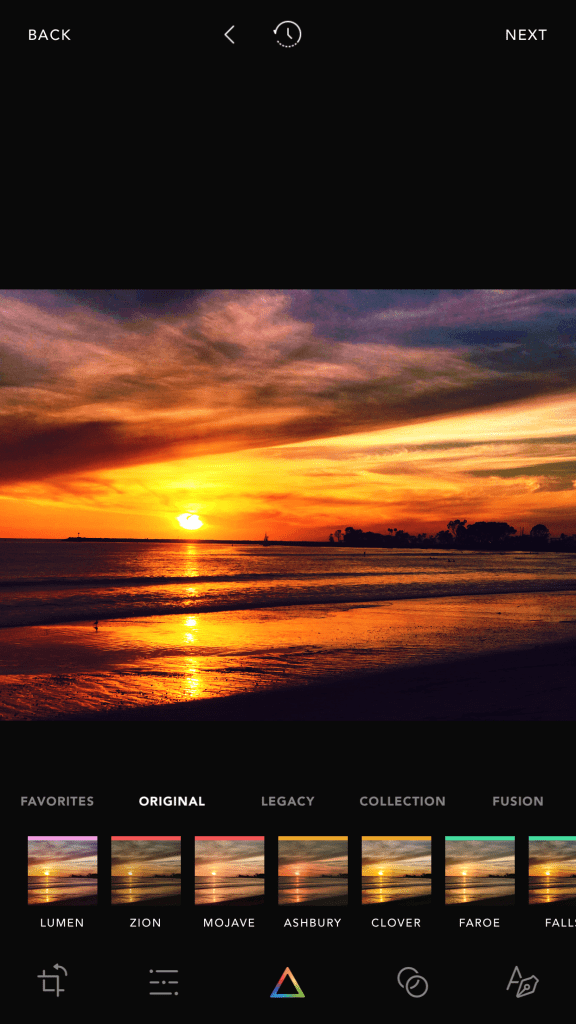
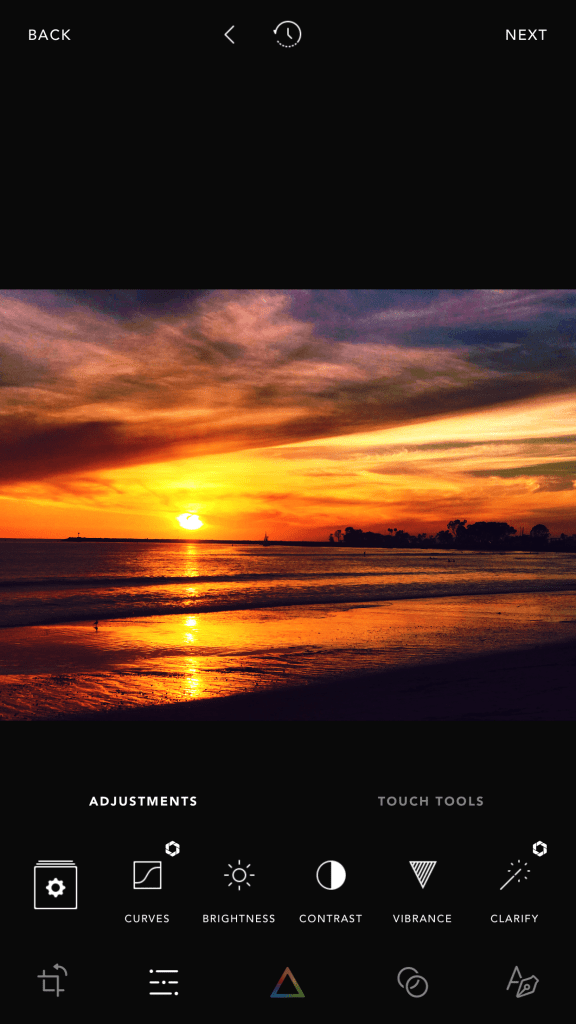
This app is really quick and easy to use. The first photo on the left my original photo and I wanted to more color to it so I used the Lumen filter to give it more color. Then I went in and adjusted the brightness and color saturation to make the image pop and adjusted the contrast to make the subject which is the sunset standout more. This app features a variety of filters and unique editing tools such as highlight tone, mid tone, and shadow tone tools. This app is really easy to use as I was able to quickly edit this photo in under 5 minutes. The ease of use and simple design along with its variety of editing tools are what makes the Afterlight app one of the best free photo editing apps.
VSCO: Photo & Video Editor
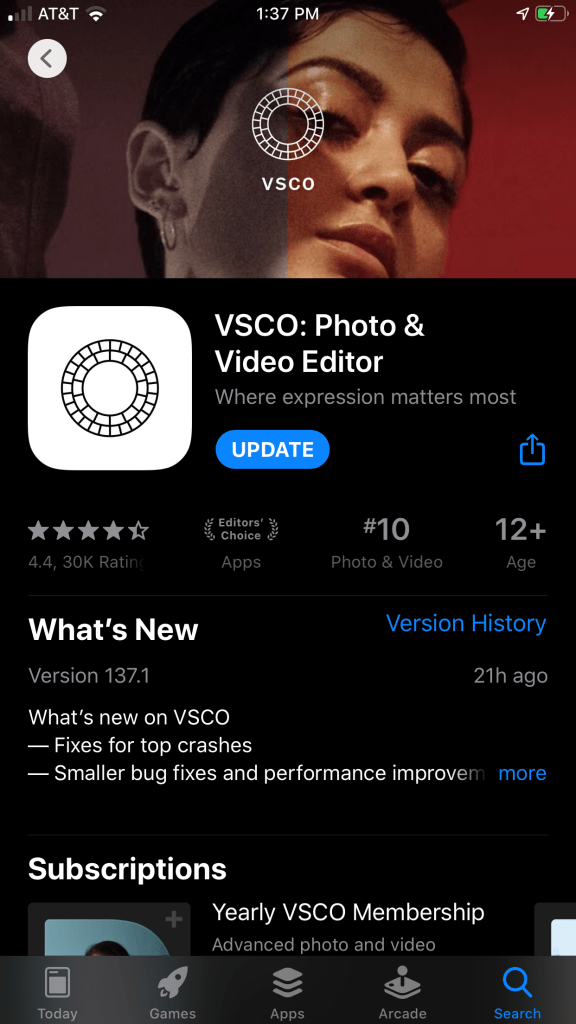
VSCO is a very popular photo and video editing app that’s an editors’ choice app and also ranks 10th on the app store for photo and video apps. This app is unique as it not only features some really cool filters as well as a variety of editing tools, but it also allows you to post your photos on the platform itself. This app has it’s own community and allows you to view other peoples work and also post your own. The app is really easy to use and is uniquely designed and quite stylized. This app features professional-grade tools and advanced camera controls, VSCO is a great app for beginners and professionals alike.
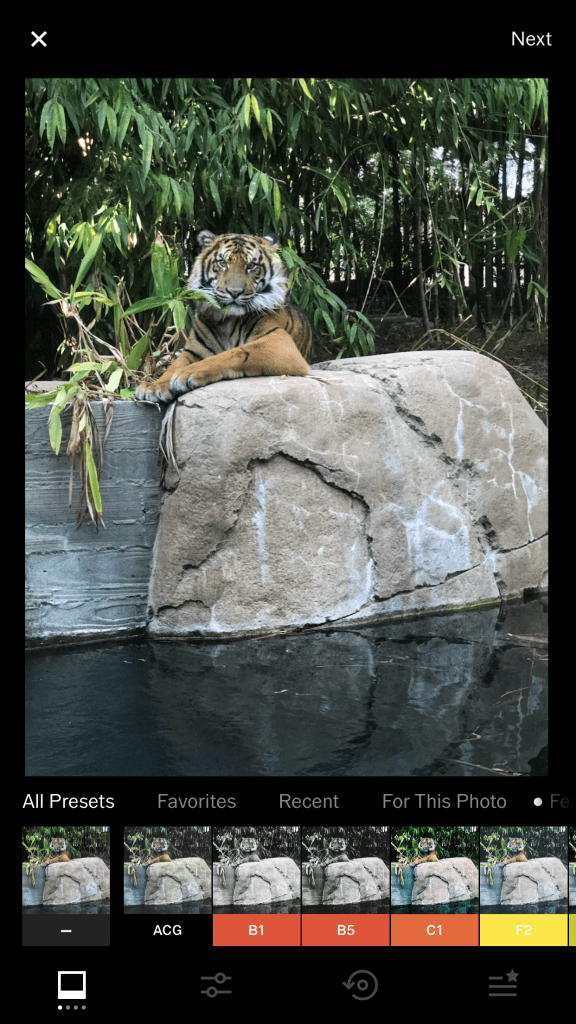
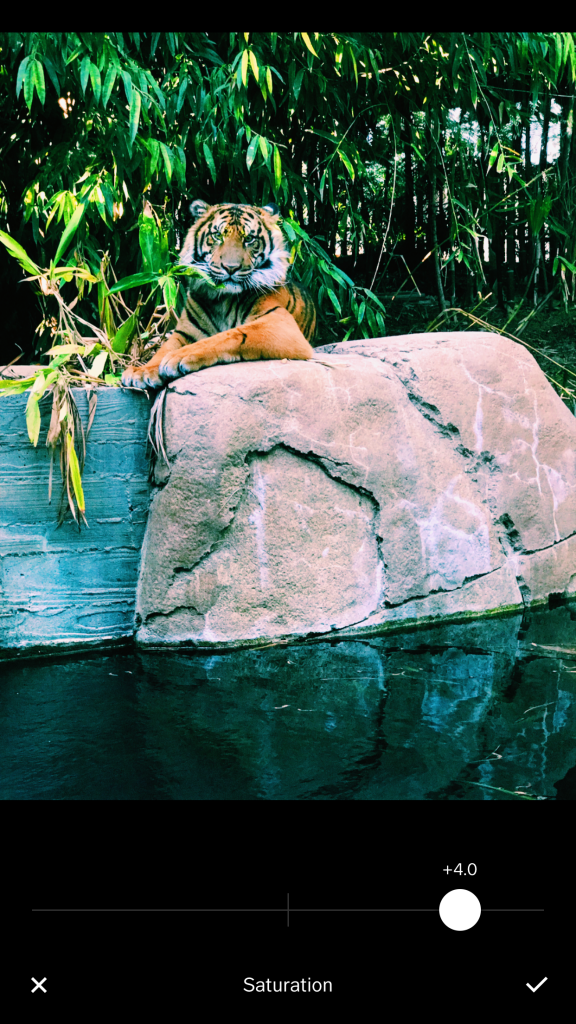
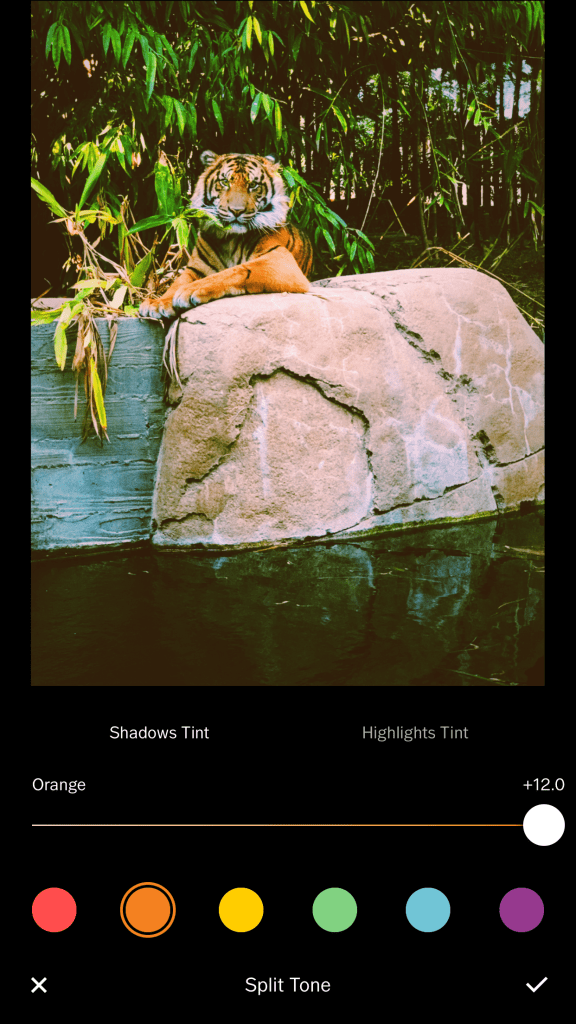
This is a photo I took at the San Diego Zoo of this beautiful tiger in its enclosure. As you can tell the original photo on the left is somewhat dull and lacks color. I wanted the tiger to really pop out and showcase its unique orange and black stripped fur. As you can see there are a variety of filters to choose from and each of the filters can be adjusted more. The are also common tools such as exposure, contrast, cropping, sharpen, clarity, and much more. I made little adjustments to some of things such a white balance to adjust the temperature and tint of the photo to make foliage more vibrant and lively. I also applied a vignette to slightly darken the outside edges of the photo to create more of a focal point on the tiger. The last thing I did which can be seen in the third image on the right was apply a split tone with a high level of orange shadow tint to make the colors of the tiger really pop.
These are some of the best free photo editing apps for the iPhone. All of these are very user friendly and easy to use allowing for either simple and quick edits or more unique and stylized edits. Every one of these apps has their own unique features and can be useful to you in many ways. These apps can really help to take your photos to the next level, which is important in the social media marketing industry as you want to post visually appealing and professional looking content in order to gain more followers and likes or establish your brand image. It’s a good idea to experiment with this apps to see which one best fits you and the image of your brand. I hope this list was helpful and allows you to create posts that really standout.


 Best Photo Editing Apps for IOS